
Some quick initial birding tips
In this post I’m going to provide some suggestions that will hopefully help you on your birding journey. I’m not going to get into birding gear recommendations (like binoculars, scopes, or cameras) at this point, other than a powerful tool I imagine every reader already has: a smartphone.
First and foremost, get outside! Familiarize yourself with species that are common in your area, and understand that many birds are migratory so you may have a mix of year-round residents and migrants at any given time. I’ll leave the topic of attracting birds to your yard for a future post as well, but simply sitting outdoors on a deck or porch or taking a walk around the block is a great first step (literally and figuratively).
Be patient, listen, and look. We usually can hear birds before we see them, and experienced birders can truly “bird by ear.” When we hear birds singing or calling (they are different) it not only allows us to try to locate where the bird is, it also can give a good idea of what species you are looking for.
Often we hear a bird and can tell the general area it is coming from. Now we have to try to hone in on the source of the sound and watch for movement. It can be challenging, especially if the bird is high in a tree. But with some practice it becomes easier, AND we can “cheat” a little bit…
Enter Merlin! If there is any single piece of advice I can give somebody interested in birding or even just ~slightly curious at all at birds, it is to install the Merlin app by the Cornell Lab of Ornithology. Free and available on both the Apple App Store and Google Play. After you install the app you should be prompted to install a bird pack. Choose what is appropriate for your location. There are several features in the Merlin app, but I am going to highlight three that I believe are the most useful. I personally tend to ignore the “Start Bird ID” option, which asks a series of questions including location, date, relative size, color, and where the bird was seen (at a feeder, in a tree, on the ground, etc.), but you may find it useful. I’ll be moving from bottom to top based on the current layout of the main area of the app.
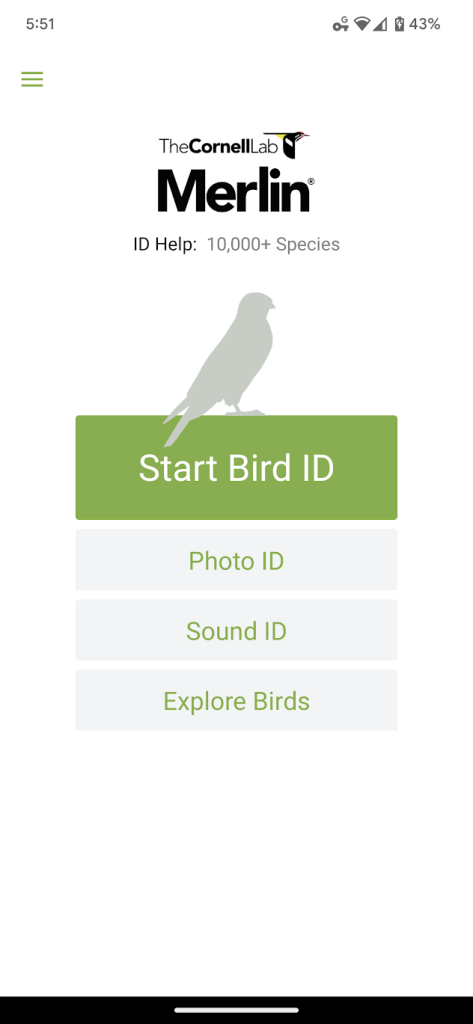
Merlin killer feature #1 – “Explore Birds“
Many birding resources suggest that one of the first things you do is to purchase a field guide. I love field guides, but I want to focus on the $0 approach first. The great thing about the Merlin Explore Birds feature is that it can be set to specifically tell you which birds you are most likely to see based on your current location and date. Once you open the Explore Birds area in the Merlin app, I recommend you follow these steps:
- Look for the upside down “filter” triangle in the top right corner and select that.

- Choose the options I’ve highlighted in this screenshot, specifically:
– Filter by ‘Likely Birds’
– Set your location for ‘Current Location’ using your phone’s GPS
– Make sure the date is set to ‘Today’
– Sort by ‘Most Likely’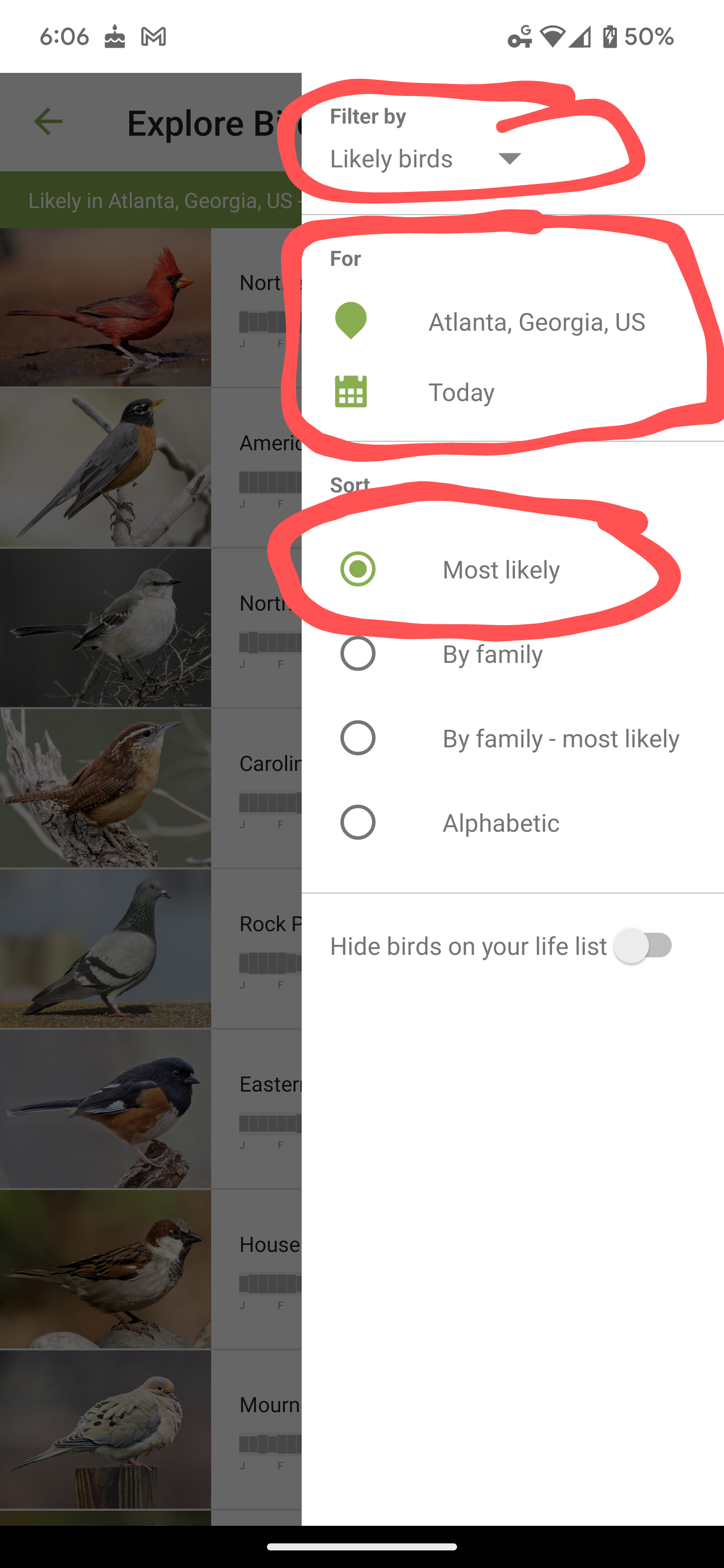
- Now scroll through the list and familiarize yourself with what you see. As you scroll through the list you can select a species for more information, including photos and sounds to help with ID, as well as a map indicating where the species could be found and when. The Merlin app has a subset of the data available on the Cornell Lab’s site at https://www.allaboutbirds.org/.

- One note, the further down you scroll you will see the half-filled orange circle. That indicates that species is “uncommon” for your location and date, but certainly possible. Scroll down more and you will see a solid red circle which indicates “rare.” Again, these are still possible species but just not something terribly common.

- Finally, and this may be obvious, but the gray horizontal chart indicates density of the species for given dates. Note that the letters below the graph indicate months of the year.

Merlin killer feature #2 – “Sound ID“
This is definitely the Merlin feature I use the most, with the caveat that you have to have a healthy dose of skepticism when you review the results. I would suggest the following, when you open Sound ID and want to begin recording stop walking if possible. I find that it tends to be a bit sensitive to background noise, so wind, cars, etc. can make it challenging for it to identify a species. As Merlin is recording you will see birds appear and flash yellow as it identifies them. The results tend to be pretty good depending on how clear of a recording it gets… Keep in mind the old computing concept – “Garbage in, garbage out.” And IF the Sound ID comes up with something with the orange “uncommon” or red “rare” indicator, it increases the likelihood that it is a misidentification. Regardless, the Sound ID feature can be incredibly useful to help you hone in on what you are hearing and along with a visual ID can lead you to confidence in a sighting.
Merlin ok feature #3 – “Photo ID“
Note that I’m not calling the Photo ID feature “killer.” I’ve tried many times and have just not had great luck. Personally, I tend to use Google Lens more frequently if I’m unsure, but Merlin does at least allow you to specify location and date which helps give it important clues as to likelihood. But your mileage may vary, so if you have a photo you should give it a try.
Download Merlin here: https://merlin.allaboutbirds.org/download/
Ok, that wraps up this initial post about birding tips with a focus on Merlin. In the future I’ll offer up suggestions on gear, good birding locations here in Atlanta, and more.
 Birds of Kirkwood